镜像关于秒开缓存服务器MQCache与华为S2300交换机端口镜像配置问题
关于秒开缓存服务器,MQCac he与华为S2300交换机端口镜像配置问题关键配置
#设置观察口 接缓存的镜像口observe-port 1 interface Ethernet0/0/24
#接路由LA N口将数据镜像到镜像口interface GigabitEthernet0/0/1 port link-type trunk port trunkallow-pass vlan 2 to 4094 port-mirroring to observe-port 1 inbound port-mirroring to observe-port 1 outbound
#接缓存的管理口允许所有VLAN访问interface GigabitEthernet0/0/2 port link-type trunk port trunkallow-pass vlan 2 to 4094 loopback-detect enable
完整配置如下
#telnet passwd: huawei
[Quidway]display cu
#
!Software Version V100R006C03sysname Quidway
#vlan batch 2 to 99101 to 199201 to 4094
#undo http server enable
#观察口 接缓存的镜像口observe-port 1 interface Ethernet0/0/24
#aaa authentication-scheme defau lt authorizat ion-scheme default accounting-scheme default domain default domain default_admin local-user adm in password cipher%$%$I6.ASV)hJET,p"Dn.YM%3aXO%$%$local-user admin service-type http
#interface Vlanif1ip address 172.16.1.253255.255.255.0
#
interface Ethernet0/0/1port l ink-type access loopback-detect enable port-isolate enable group 1#interface Ethernet0/0/2port l ink-type access port default vlan 2loopback-detect enable port-isolate enable group 1#interface Ethernet0/0/3port l ink-type access port default vlan 3loopback-detect enable port-isolate enable group 1#interface Ethernet0/0/4port l ink-type access port default vlan 4loopback-detect enable port-isolate enable group 1#interface Ethernet0/0/5port l ink-type access port default vlan 5loopback-detect enable port-isolate enable group 1#interface Ethernet0/0/6port l ink-type access port default vlan 6loopback-detect enable port-isolate enable group 1#interface Ethernet0/0/7port l ink-type access port default vlan 7loopback-detect enable port-isolate enable group 1#interface Ethernet0/0/8port l ink-type access port default vlan 8
loopback-detect enable port-isolate enable group 1#interface Ethernet0/0/9port l ink-type access port default vlan 9loopback-detect enable port-isolate enable group 1#interface Ethernet0/0/10port l ink-type access port default vlan 10loopback-detect enable #interface Ethernet0/0/11port l ink-type access port defaultvlan 11loopback-detect enable port-isolate enable group 1#interface Ethernet0/0/12port l ink-type access port default vlan 12loopback-detect enable port-isolate enable group 1#interface Ethernet0/0/13port l ink-type access port default vlan 13loopback-detect enable port-isolate enable group 1#interface Ethernet0/0/14port l ink-type access port default vlan 14loopback-detect enable port-isolate enable group 1#interface Ethernet0/0/15port l ink-type access port default vlan 15loopback-detect enable port-isolate enable group 1#
interface Ethernet0/0/16port l ink-type access port default vlan 16loopback-detect enable port-isolate enable group 1#interface Ethernet0/0/17port l ink-type access port default vlan 26loopback-detect enable port-isolate enable group 1#interface Ethernet0/0/18port l ink-type access port default vlan 18loopback-detect enable port-isolate enable group 1#interface Ethernet0/0/19port l ink-type access port default vlan 19loopback-detect enable port-isolate enable group 1#interface Ethernet0/0/20port l ink-type access port default vlan 20loopback-detect enable port-isolate enable group 1#interface Ethernet0/0/21port l ink-type access port default vlan 21loopback-detect enable port-isolate enable group 1#interface Ethernet0/0/22port l ink-type access port default vlan 22loopback-detect enable port-isolate enable group 1#interface Ethernet0/0/23port l ink-type access
port default vlan 23loopback-detect enable port-isolate enable group 1
#interface Ethernet0/0/24port l ink-type access loopback-detect enable port-isolate enable group 1
#接路由LA N口将数据镜像到镜像口interface GigabitEthernet0/0/1port l ink-type trunk port trunkal low-pass vlan 2 to 4094port-mirroring to observe-port 1 inbound port-mirroring to observe-port 1 outbound #接缓存的管理口允许所有VLAN访问interface GigabitEthernet0/0/2port l ink-type trunk port trunkal low-pass vlan 2 to 4094loopback-detect enable
- 镜像关于秒开缓存服务器MQCache与华为S2300交换机端口镜像配置问题相关文档
- 系统缓存服务器
- 用户缓存服务器
- 中国人力资源和社会保障出版集团
- http://www.paper.edu.cn
- 支持缓存服务器
- 分布式缓存服务器
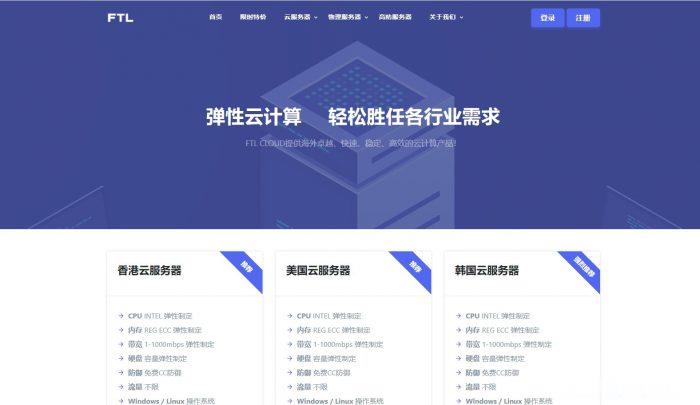
ftlcloud(超云)9元/月,1G内存/1核/20g硬盘/10M带宽不限/10G防御,美国云服务器
ftlcloud怎么样?ftlcloud(超云)目前正在搞暑假促销,美国圣何塞数据中心的云服务器低至9元/月,系统盘与数据盘分离,支持Windows和Linux,免费防御CC攻击,自带10Gbps的DDoS防御。FTL-超云服务器的主要特色:稳定、安全、弹性、高性能的云端计算服务,快速部署,并且可根据业务需要扩展计算能力,按需付费,节约成本,提高资源的有效利用率。点击进入:ftlcloud官方网站...
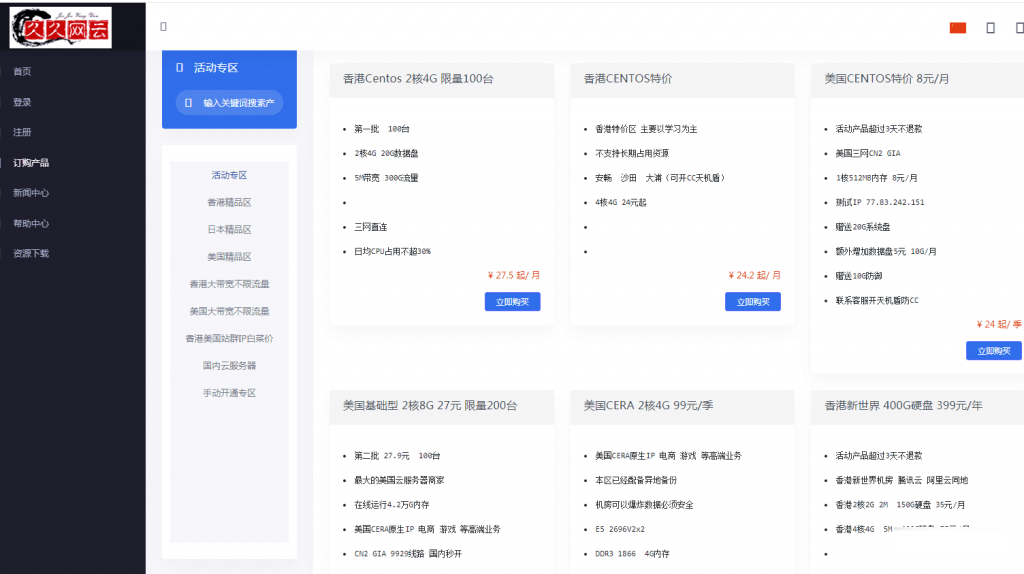
久久网云-目前最便宜的国内,香港,美国,日本VPS云服务器19.9元/月起,三网CN2,2天内不满意可以更换其他机房机器,IP免费更换!。
久久网云怎么样?久久网云好不好?久久网云是一家成立于2017年的主机服务商,致力于为用户提供高性价比稳定快速的主机托管服务,久久网云目前提供有美国免费主机、香港主机、韩国服务器、香港服务器、美国云服务器,香港荃湾CN2弹性云服务器。专注为个人开发者用户,中小型,大型企业用户提供一站式核心网络云端服务部署,促使用户云端部署化简为零,轻松快捷运用云计算!多年云计算领域服务经验,遍布亚太地区的海量节点为...
月神科技-美国CERA 5折半价倒计时,上新华中100G高防云59起!
官方网站:点击访问月神科技官网优惠码:美国优惠方案:CPU:E5-2696V2,机房:国人热衷的优质 CeraNetworks机房,优惠码:3wuZD43F 【过期时间:5.31,季付年付均可用】活动方案:1、美国机房:洛杉矶CN2-GIA,100%高性能核心:2核CPU内存:2GB硬盘:50GB流量:Unmilited端口:10Mbps架构:KVM折后价:15元/月、150元/年传送:购买链接洛...

-
虚拟空间购买购买虚拟空间时怎么防止受骗虚拟主机代理哪家虚拟主机商的代理比较好代理主机什么叫做代理服务器?有什么用途?虚拟主机申请在哪里可以申请到虚拟主机呢免费域名空间求1个免费空间送域名那种成都虚拟空间成都有没有能玩ps主机游戏的网咖?jsp虚拟空间JSP虚拟目录及虚拟路径的配置方法网站空间购买哪里买网站空间好?论坛虚拟主机我想买个论坛虚拟主机,但是去了好多网站都不怎么样?windows虚拟主机在windows 系统上装虚拟机有什么好的建议