购物车php 购物车完整实现代码
php购物车完整实现代码
本文介绍一个php实现的购物车代码功能实现比较完整实现了购物车、订货人信息、会员价等功能还是不错的有需要的朋友可以参考下
1、商品展示页面
复制代码代码如下:
<tablewidth="255"border="0" cel lspacing="0" cel lpadding="0">
<tr>
<td width="130" rowspan="6"><dival ign="center">
<?phpif(trim($info[tupian]==""))
{echo"暂无图片";
}else
{
?>
<img src="<?php echo$info[tupian];?>"width="130" height="100"border="0">
<?php
}
?>
</div></td>
<tdwidth="20" height="16"></td>
<tdwidth="113"><font color="EF9C3E"> 【<?phpecho$info[mingcheng];?>】 </font></td></tr>
<tr>
<td height="16"></td>
<td><font color="910800"> 【市场价 <?php echo$info[shichangjia];?>】 </font></td></tr>
<tr>
<td height="16"></td>
<td><font color="DD4679"> 【会员价 <?php echo$info[huiyuanjia];?>】 </font></td></tr>
<tr>
<td height="16"></td>
<td> 【<a href="lookinfo.php?id=<?phpecho$info[id];?>">查看信息</a>】 </td>
</tr>
<tr>
<td height="16"></td>
<td> 【<a href="addgouwuche.php?id=<?phpecho$info[id];?>">放入购物车</a>】 </td></tr>
<tr>
<td height="16"></td>
<td><font color="13589B"> 【剩余数量
<?phpif(($info[shul iang]-$info[cishu])>0)
{echo($info[shul iang]-$info[cishu]);
}else
{echo"已售完";
}
?>】 </font></td>
</tr>
</table>
<?php
}
?>
</table>
2、文件addgouwuche.php
复制代码代码如下:
<?phpsessi on_sta rt();include("conn.php");if($_SESSION[username]=="")
{echo"<script>alert('请先登录后购物! ');history.back();</script>";exit;
}
$id=strva l($_G ET[id]);
$sql=mysql_query("select*from shangpin where id='".$id."'",$conn);$info=mysql_fetch_array($sql);if($info[shul iang]<=0)
{echo"<script>alert('该商品已经售完! ');history.back();</script>";exit;
}
$array=explode("@",$_SESSION[producel ist]);for($i=0;$i<count($array)-1;$i++)
{if($array[$i]==$id)
{echo"<script>alert('该商品已经在您的购物车中! ');history.back();</script>";
exit;
}
}
$_SESSION[producel ist]=$_SESSION[producel ist].$id."@";
$_SESSION[quatity]=$_SESSION[quatity]."1@";header("location:gouwu1.php");
?>
3、文件gouwu1.php
复制代码代码如下:
<?phpsessi on_sta rt();if($_SESSION[username]=="")
{echo"<script>alert('请先登录后购物! ');history.back();</script>";exit;
}
?>
<?phpinclude("top.php");
?>
<table width="800" height="438"border="0"al ign="center" cel lpadding="0" cel lspacing="0"><tr>
<tdwidth="200" height="438"val ign="top"bgcolor="#E8E8E8"><dival ign="center">
<?phpinclude("left.php");?>
</div></td>
<tdwidth="10"background="images/l ine2.gif"></td>
<td width="590" val ign="top"><table width="550" height="10" border="0" al ign="center"cel lpadding="0" cel lspacing="0">
<tr>
<td></td>
</tr>
</table>
<table width="500"border="0"al ign="center" cel lpadding="0" cel lspacing="0">
<form name="form1"method="post"action="gouwu1.php">
<tr>
<td height="25" bgcolor="#555555"><div al ign="center" style="color: #FFFFFF"><?php echo$_SESSION[username];?>的购物车</div></td>
</tr>
<tr>
<td bgcolor="#555555"><table width="500" border="0" al ign="center" cel lpadding="0"cel lspacing="1">
<?php
sessi on_sta rt();session_register("total");if($_GET[qk]=="yes")
{
$_SESSION[producel ist]="";
$_SESSION[quatity]="";
}
$arraygwc=explode("@",$_SESSION[producel ist]);
$s=0;for($i=0;$i<count($arraygwc);$i++)
{
$s+=intval($arraygwc[$i]);
}if($s==0)
{echo"<tr>";echo"<td height='25'colspan='6' bgcolor='#FFFFFF'al ign='center'>您的购物车为空!</td>";echo"</tr>";
}else
{
?>
<tr>
<tdwidth="125" height="25"bgcolor="#FFFFFF"><dival ign="center">商品名称</div></td><tdwidth="52"bgcolor="#FFFFFF"><dival ign="center">数量</div></td>
<tdwidth="64"bgcolor="#FFFFFF"><div al ign="center">市场价</div></td>
<tdwidth="64"bgcolor="#FFFFFF"><div al ign="center">会员价</div></td>
<tdwidth="51"bgcolor="#FFFFFF"><div al ign="center">折扣</div></td>
<tdwidth="66"bgcolor="#FFFFFF"><div al ign="center">小计</div></td>
<tdwidth="71"bgcolor="#FFFFFF"><dival ign="center">操作</div></td>
</tr>
<?php
**
*购物车商品数量管理
* Edit www.jb51.net
*/
$total=0;
$array=explode("@",$_SESSION[producel ist]);
$arrayquatity=explode("@",$_SESSION[quatity]);whi le(l ist($name,$value)=each($_POST) )
{for($i=0;$i<count($array)-1;$i++)
{
if(($array[$i])==$name)
{
$arrayquatity[$i]=$value;
}
}
}
$_SESSION[quatity]=implode("@",$arrayquatity);for($i=0;$i<count($array)-1;$i++)
{
$id=$array[$i];
$num=$arrayquatity[$i];if($id!="")
{
$sql=mysql_query("select*from shangpin where id='".$id."'",$conn);
$info=mysql_fetch_array($sql);
$total1=$num*$info[huiyuanjia];
$total+=$total1;
$_SESSION["total"]=$total;
?>
<tr>
<td height="25" bgcolor="#FFFFFF"><div al ign="center"><?php echo$info[mingcheng];?></div></td>
<td height="25"bgcolor="#FFFFFF"><dival ign="center">
<input type="text" name="<?php echo$info[id];?>" size="2" class="inputcss"value=<?php echo$num;?>>
</div></td>
<td height="25" bgcolor="#FFFFFF"><div al ign="center"><?php echo $info[shichangjia];?>元</div></td>
<td height="25" bgcolor="#FFFFFF"><div al ign="center"><?php echo $info[huiyuanjia];?>元</div></td>
<td height="25" bgcolor="#FFFFFF"><div al ign="center"><?php echo@(cei l(($info[huiyuanjia]/$info[shichangjia])*100) )."%";?></div></td>
<td height="25"bgcolor="#FFFFFF"><dival ign="center"><?phpecho$info[huiyuanjia]*$num."元";?></div></td>
<td height="25" bgcolor="#FFFFFF"><div al ign="center"><a href="removegwc.php?id=<?phpecho$info[id]?>">移除</a></div></td>
</tr>
<?php
}
}
?>
<tr>
<td height="25" colspan="8"bgcolor="#FFFFFF"><div al ign="right">
<table width="500" height="25"border="0"al ign="center" cel lpadding="0" cel lspacing="0"><tr>
<tdwidth="125"><dival ign="center">
<input type="submit"value="更改商品数量" class="buttoncss">
</div></td>
<tdwidth="125"><dival ign="center"><a href="gouwu2.php">去收银台</a></div></td><td width="125"><div al ign="center"><a href="gouwu1.php?qk=yes">清空购物车</a></div></td>
<tdwidth="125"><dival ign="left">总计 <?phpecho$total;?></div></td>
</tr>
</table>
</div></td>
</tr>
<?php
}
?>
</table></td>
</tr>
</fo r m>
</table></td>
</tr>
</table>
3、文件gouwu2.php
复制代码代码如下:
<table width="800" height="438"border="0"al ign="center" cel lpadding="0" cel lspacing="0"><tr>
<tdwidth="200" height="438"val ign="top"bgcolor="#E8E8E8"><dival ign="center">
<?phpinclude("left.php");?>
</div></td>
<tdwidth="10"background="jiujiu360.comimages/l ine2.gif"></td>
<td width="590" val ign="top"><table width="550" height="15" border="0" al ign="center"cel lpadding="0" cel lspacing="0">
<tr>
<td></td>
</tr>
</table>
<table width="550"border="0"al ign="center" cel lpadding="0" cel lspacing="0">
<tr>
<td height="25" bgcolor="#555555"><div al ign="center" style="color: #FFFFFF">收货人信息</div></td>
</tr>
<tr>
<td height="300" bgcolor="#555555"><table width="550" height="300" border="0"al ign="center" cel lpadding="0" cel lspacing="1">
<script language="javascript">
**
*购物车收货人信息
* Edit www.jb51.net
*/function chkinput(form)
{if(form.name.value=="")
{alert("请输入收货人姓名!");form.name.select();return(false);
}if(form.dz.va lue=="")
{alert("请输入收货人地址!");form.dz.select();return(false);
}if(form.yb.va lue=="")
{alert("请输入收货人邮编!");form.yb.select();return(false);
}if(form.tel .value=="")
{alert("请输入收货人联系电话!");form.tel .select();return(false);
}if(form.emai l .value=="")
{alert("请输入收货人E-mai l地址!");form.emai l .select();return(false);
}
if(form.emai l .value. indexOf("@")<0)
{alert("收货人E-mai l地址格式输入错误!");form.emai l .select();return(false);
}return(true);
}
</script>
<form name="form1"method="post"action="savedd.php"onSubmit="return chkinput(this)"><tr>
<tdwidth="100" height="25"bgcolor="#FFFFFF"><dival ign="center">收货人姓名 </div></td><td width="183" bgcolor="#FFFFFF"><div al ign="left"><input type="text" name="name"size="25" class="inputcss" style="background-color:#e8f4ff "onMouseOver="this.style.backgroundColor='#ffffff'"onMouseOut="this.style.backgroundColor='#e8f4ff'"></div></td>
<tdwidth="86"bgcolor="#FFFFFF"><div al ign="center">性别 </div></td>
<tdwidth="176"bgcolor="#FFFFFF"><dival ign="left">
<select name="***">
<option selected value="男">男</option>
<option value="女">女</option>
</select>
</div></td>
</tr>
<tr>
<td height="25"bgcolor="#FFFFFF"><dival ign="center">详细地址 </div></td>
<td height="25" colspan="3" bgcolor="#FFFFFF"><div al ign="left"><input name="dz" type="text"class="inputcss" id="dz" style="background-color:#e8f4ff "onMouseOver="this.style.backgroundColor='#ffffff'"onMouseOut="this.style.backgroundColor='#e8f4ff'" size="25">
</div></td>
</tr>
<tr>
<td height="25"bgcolor="#FFFFFF"><dival ign="center">邮政编码 </div></td>
<td height="25" colspan="3" bgcolor="#FFFFFF"><div al ign="left"><input type="text" name="yb"size="25" class="inputcss" style="background-color:#e8f4ff "onMouseOver="this.style.backgroundColor='#ffffff'"onMouseOut="this.style.backgroundColor='#e8f4ff'"></div></td>
</tr>
<tr>
<td height="25"bgcolor="#FFFFFF"><dival ign="center">联系电话 </div></td>
<td height="25" colspan="3"bgcolor="#FFFFFF"><div al ign="left"><input type="text" name="tel"size="25" class="inputcss" style="background-color:#e8f4ff "
onMouseOver="this.style.backgroundColor='#ffffff'"onMouseOut="this.style.backgroundColor='#e8f4ff'"></div></td>
</tr>
<tr>
<td height="25"bgcolor="#FFFFFF"><dival ign="center">电子邮箱 </div></td>
<td height="25" colspan="3" bgcolor="#FFFFFF"><div al ign="left"><input type="text"name="emai l" size="25" class="inputcss" style="background-color:#e8f4ff "onMouseOver="this.style.backgroundColor='#ffffff'"onMouseOut="this.style.backgroundColor='#e8f4ff'"></div></td>
</tr>
<tr>
<td height="25"bgcolor="#FFFFFF"><dival ign="center">送货方式 </div></td>
<td height="25" colspan="3"bgcolor="#FFFFFF"><div al ign="left">
<select name="shff" id="shff">
<option selected value="普通平邮">普通平邮</option>
<option value="特快专递">特快专递</option>
<option value="送货上门">送货上门</option>
<option value="个人送货">个人送货</option>
<option value="E-mai l">E-mai l</option>
</select>
</div></td>
</tr>
<tr>
<td height="25"bgcolor="#FFFFFF"><dival ign="center">支付方式 </div></td>
<td height="25" colspan="3"bgcolor="#FFFFFF"><div al ign="left">
<select name="zfff" id="zfff">
<option selected value="建设银行汇款">建设银行汇款</option>
<option value="交通银行汇款">交通银行汇款</option>
<option value="邮局汇款">邮局汇款</option>
<option value="网上支付">网上支付</option>
</select>
</div></td>
</tr>
<tr>
<td height="100"bgcolor="#FFFFFF"><dival ign="center">简单留言 </div></td>
<td height="100" colspan="3"bgcolor="#FFFFFF"><dival ign="left">
<textarea name="ly" cols="60" rows="8" class="inputcss" style="background-color:#e8f4ff "onMouseOver="this.style.backgroundColor='#ffffff'"onMouseOut="this.style.backgroundColor='#e8f4ff'"></textarea>
</div></td>
</tr>
<tr>
<td height="25" colspan="4" bgcolor="#FFFFFF"><div al ign="center"><input type="submit"value="提交订单" class="buttoncss">
- 购物车php 购物车完整实现代码相关文档
- Dotphp购物车
- internalphp购物车
- 股票代码:300688
- 第七届中国高等院校设计作品大赛获奖名单(排名不分先后)
- "广东顺德创新设计研究院招募项目实践研究生"
- 管理科学与工程
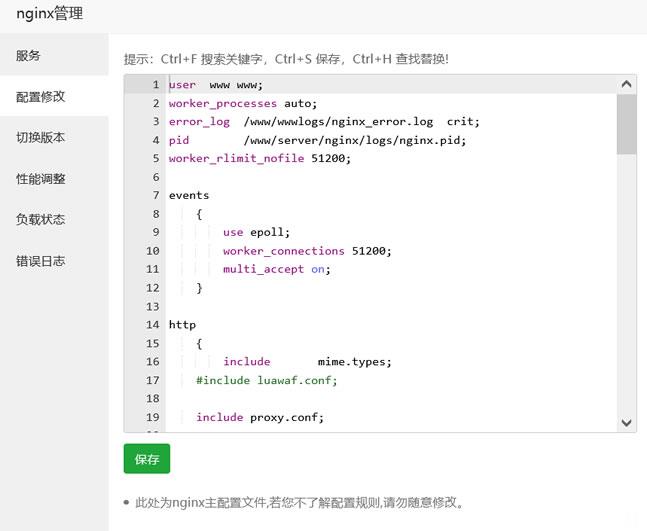
宝塔面板批量设置站点404页面
今天遇到一个网友,他在一个服务器中搭建有十几个网站,但是他之前都是采集站点数据很大,但是现在他删除数据之后希望设置可能有索引的文章给予404跳转页面。虽然他程序有默认的404页面,但是达不到他引流的目的,他希望设置统一的404页面。实际上设置还是很简单的,我们找到他是Nginx还是Apache,直接在引擎配置文件中设置即可。这里有看到他采用的是宝塔面板,直接在他的Nginx中设置。这里我们找到当前...
iON Cloud:新加坡cn2 gia vps/1核/2G内存/25G SSD/250G流量/10M带宽,$35/月
iON Cloud怎么样?iON Cloud升级了新加坡CN2 VPS的带宽和流量最低配的原先带宽5M现在升级为10M,流量也从原先的150G升级为250G。注意,流量也仅计算出站方向。iON Cloud是Krypt旗下的云服务器品牌,成立于2019年,是美国老牌机房(1998~)krypt旗下的VPS云服务器品牌,主打国外VPS云服务器业务,均采用KVM架构,整体性能配置较高,云服务器产品质量靠...
易探云月付18元起,香港/美国/深圳/北京VPS,CN2、BGP等多线路
易探云怎么样?易探云是国内一家云计算服务商家,致力香港服务器、国内外服务器租用及托管等互联网业务,目前主要地区为运作香港BGP、香港CN2、广东、北京、深圳等地区。易探云服务器均选择当下热门线路,比如CN2 GIA、BGP线路、CN2线路等,所有云主机支持月付,并且首月优惠,年付优惠,优惠后香港沙田云服务器/独立ip/香港CN2线路,每月仅18元,188元/年。点击进入:易探云官方网站地址1、香港...

-
公章制作制作公章尺寸标准大小,字体,字号?微信如何建群微信怎么建立群不兼容WIN7 64位系统与某些软件不兼容怎么办?今日热点怎么删除“今日热点”到底要怎样才能取消弹窗,每次开机都会godaddy美国GODADDY 域名支持域名别名解析吗?怎么升级ios6苹果6怎么升级最新系统系统分析员如何成为系统分析师?gbk编码表gbk内码表怎么看聚美优品红包聚美优品里怎么合并红包价格在线qq号码价值在线评估