letmeinletmein
letmein 时间:2021-01-15 阅读:()
LetMeIn:Self-ServicePasswordManagementLetMeIn:Self-ServicePasswordManagementContentsIntroduction1GettingStarted–EnrollingYourAccount.
1UseCaseScenarios.
5SetPassword–Iknowmypasswordbutwant/needtochangeit.
5SelfService–Ican'tgetmypasswordtowork.
7LetMeIn:Self-ServicePasswordManagement1IntroductionIndianaTech'snewpasswordmanagementsystem,https://LetMeIn.
IndianaTech.
edu,providesaconvenientmeansforIndianaTechstudents,faculty,andstafftounlocktheirnetworkaccountorresettheirpassword/passphrase.
Thisprovidestheabilitytomanageyourownaccountforaccesstomanyofthetechnicalresourcesprovidedthroughtheuniversity.
BeforeyoucanbeginusingLetMeIn,youmustfirstlogin(usingyourcurrentIndianaTechcredentials)andprovideacellphonenumberandanalternativeemailaddress.
PortalGuardwillsendyoutemporaryone-timepasswordstoyourcellphoneand/oralternativeemailaddressintheeventyoueverforgetyourpasswordandneedtoresetit.
Theinstructionsbelowshowyouwhatyouneedtodo:GettingStarted–EnrollingYourAccount1)YoucanaccessLetMeInfromthefollowinglocation:a)http://letmein.
indianatech.
edu2)EnteryourcurrentIndianaTechusername/passwordandclick.
a)Faculty/Staff:Onlyenteryourusernameandnotthe@indianatech.
edub)Students:Enteryourusernameasusername@indianatech.
netLetMeIn:Self-ServicePasswordManagement23)Whenlogginginthefirsttime,awindowwillrequestthatyouenteryourpasswordagaintoenrollyourchallengeanswers.
Pleaseenteryourpasswordandclick.
4)Youwillbepresentedwithapagewhereyouwillneedtoanswer5questionsoutof15thatareavailableforselection.
Pleaseprovideanswerstowhicheverquestionsyouwish.
Youwillchoosethequestiontoanswerbyclickingonthedrop-downbuttonwiththeavailablequestions.
Onceyouhavechosenandanswered5questions,click.
5)Afterclickingcontinue,youwillbepresentedwitha'Success'screenandalinktocontinuetheloginprocess.
Pleaseclickonthelinktocontinue.
LetMeIn:Self-ServicePasswordManagement36)Next,awindowwillrequestthatyouenteryourpasswordagaininadditiontoyourmobilephonenumber.
Pleaseenteryourpasswordandyourmobilephonenumberandclick.
Pleasenotethattheremayalsobeaquestionaboutyourcarrierifthenumberisnotrecognized.
7)Afterclicking,aone-timetemporarypasswordwillbesenttothecellphonenumberprovided.
Uponreceiptofthetemporarypassword,enteritandclick.
Pleasebecarefulreadingandenteringthetemporarypassword.
Itiscase-sensitiveandcouldcontainlettersandnumbers.
8)Afterclickingcontinue,youwillbepresentedwitha'Success'screenandalinktocontinuetheloginprocess.
Pleaseclickonthelinktocontinue.
4.
Aftersuccessfullyregisteringyourquestionsandcellphone,youwillseetheLetMeInhomepage.
Youcanloginatanytimeandupdatethisinformationasneeded.
Noticethatthethereareseveralsectionswithinformation.
LetMeIn:Self-ServicePasswordManagement411.
Ifyouhavefinishedupdatingyourinformation,clickthe"LogOut"linkinthetopright.
LetMeIn:Self-ServicePasswordManagement5UseCaseScenariosSetPassword–Iknowmypasswordbutwant/needtochangeit.
IfyouknowyourIndianaTechpasswordbutyouwouldliketochangeit.
Sinceyouhaveregisteredyourcellphoneandquestions,LetMeIncanhelpyouresetyourpassword.
1.
Fromanybrowser,typethefollowingURL:http://letmein.
indianatech.
edu2.
Provideyourusernameandclick.
3.
Provideyourcurrentpasswordandclick.
LetMeIn:Self-ServicePasswordManagement64.
Enteryourdesirednewpasswordandconfirmit.
Click.
Intheeventthatyournewpasswordisnotstrongenough,youwillreceiveamessagesimilartothefollowing.
Pleaseensureyourpasswordmeetsthecriterialisted.
5.
Onceyourpasswordisaccepted,youwillreceiveaconfirmationmessage.
Withthisconfirmation,youshouldnowbeabletologintoIndianaTechnetworkandwebbasedservicesusingyournewpassword.
LetMeIn:Self-ServicePasswordManagement7SelfService–Ican'tgetmypasswordtowork.
TherearetimeswhenyoucannotrememberyourIndianaTechpasswordandneedtoresetitORyouarereceivingmessagesthatyouraccounthasbeenlocked.
Sinceyouhaveregisteredyourcellphoneandquestions,LetMeIncanhelpyouresetyourpassword.
1.
Fromanybrowser,typethefollowingURL:http://letmein.
indianatech.
edu2.
Provideyourusernameandclick.
3.
Ifyouareprettysureyourememberyourpassword,butyouraccounthasbecomelocked(possiblybecauseofunsuccessfulloginattempts),youmayselect"UnlockAccount".
However,ifitismorelikelyyoucannotrememberyourpassword,select"ResetForgottenPassword"andclick.
Forthisexample,we'llchoose"UnlockAccount".
Pleasenotethatif"ResetForgottenPasswordischosen,youwillberequiredtochangeyourpasswordonceyouareauthenticated.
LetMeIn:Self-ServicePasswordManagement84.
Youmayhaveaone-timetemporarypasswordsenttoyourcellphoneoryoumayanswerseveralofyourchallengequestions.
Forthisexample,we'llchoosetheone-timepasswordandhaveitsentasatxttoourcellphone.
Makesure"MobilePhoneNumber"isselectedandclick.
5.
Onceyoureceiveyourone-timetemporarypassword,enteritandclick.
6.
Aconfirmationscreenwillbedisplayedlettingyouknowthatyouraccountwasunlockedsuccessfully.
LetMeIn:Self-ServicePasswordManagement97.
Ifyouchosetoresetyourpasswordtowardthebeginningofthisprocess,yourwillbeaskedtoenteryournewpasswordtwiceandclick8.
Aconfirmationscreenwillletyouknowifthepasswordchangehasbeensuccessful.
1UseCaseScenarios.
5SetPassword–Iknowmypasswordbutwant/needtochangeit.
5SelfService–Ican'tgetmypasswordtowork.
7LetMeIn:Self-ServicePasswordManagement1IntroductionIndianaTech'snewpasswordmanagementsystem,https://LetMeIn.
IndianaTech.
edu,providesaconvenientmeansforIndianaTechstudents,faculty,andstafftounlocktheirnetworkaccountorresettheirpassword/passphrase.
Thisprovidestheabilitytomanageyourownaccountforaccesstomanyofthetechnicalresourcesprovidedthroughtheuniversity.
BeforeyoucanbeginusingLetMeIn,youmustfirstlogin(usingyourcurrentIndianaTechcredentials)andprovideacellphonenumberandanalternativeemailaddress.
PortalGuardwillsendyoutemporaryone-timepasswordstoyourcellphoneand/oralternativeemailaddressintheeventyoueverforgetyourpasswordandneedtoresetit.
Theinstructionsbelowshowyouwhatyouneedtodo:GettingStarted–EnrollingYourAccount1)YoucanaccessLetMeInfromthefollowinglocation:a)http://letmein.
indianatech.
edu2)EnteryourcurrentIndianaTechusername/passwordandclick.
a)Faculty/Staff:Onlyenteryourusernameandnotthe@indianatech.
edub)Students:Enteryourusernameasusername@indianatech.
netLetMeIn:Self-ServicePasswordManagement23)Whenlogginginthefirsttime,awindowwillrequestthatyouenteryourpasswordagaintoenrollyourchallengeanswers.
Pleaseenteryourpasswordandclick.
4)Youwillbepresentedwithapagewhereyouwillneedtoanswer5questionsoutof15thatareavailableforselection.
Pleaseprovideanswerstowhicheverquestionsyouwish.
Youwillchoosethequestiontoanswerbyclickingonthedrop-downbuttonwiththeavailablequestions.
Onceyouhavechosenandanswered5questions,click.
5)Afterclickingcontinue,youwillbepresentedwitha'Success'screenandalinktocontinuetheloginprocess.
Pleaseclickonthelinktocontinue.
LetMeIn:Self-ServicePasswordManagement36)Next,awindowwillrequestthatyouenteryourpasswordagaininadditiontoyourmobilephonenumber.
Pleaseenteryourpasswordandyourmobilephonenumberandclick.
Pleasenotethattheremayalsobeaquestionaboutyourcarrierifthenumberisnotrecognized.
7)Afterclicking,aone-timetemporarypasswordwillbesenttothecellphonenumberprovided.
Uponreceiptofthetemporarypassword,enteritandclick.
Pleasebecarefulreadingandenteringthetemporarypassword.
Itiscase-sensitiveandcouldcontainlettersandnumbers.
8)Afterclickingcontinue,youwillbepresentedwitha'Success'screenandalinktocontinuetheloginprocess.
Pleaseclickonthelinktocontinue.
4.
Aftersuccessfullyregisteringyourquestionsandcellphone,youwillseetheLetMeInhomepage.
Youcanloginatanytimeandupdatethisinformationasneeded.
Noticethatthethereareseveralsectionswithinformation.
LetMeIn:Self-ServicePasswordManagement411.
Ifyouhavefinishedupdatingyourinformation,clickthe"LogOut"linkinthetopright.
LetMeIn:Self-ServicePasswordManagement5UseCaseScenariosSetPassword–Iknowmypasswordbutwant/needtochangeit.
IfyouknowyourIndianaTechpasswordbutyouwouldliketochangeit.
Sinceyouhaveregisteredyourcellphoneandquestions,LetMeIncanhelpyouresetyourpassword.
1.
Fromanybrowser,typethefollowingURL:http://letmein.
indianatech.
edu2.
Provideyourusernameandclick.
3.
Provideyourcurrentpasswordandclick.
LetMeIn:Self-ServicePasswordManagement64.
Enteryourdesirednewpasswordandconfirmit.
Click.
Intheeventthatyournewpasswordisnotstrongenough,youwillreceiveamessagesimilartothefollowing.
Pleaseensureyourpasswordmeetsthecriterialisted.
5.
Onceyourpasswordisaccepted,youwillreceiveaconfirmationmessage.
Withthisconfirmation,youshouldnowbeabletologintoIndianaTechnetworkandwebbasedservicesusingyournewpassword.
LetMeIn:Self-ServicePasswordManagement7SelfService–Ican'tgetmypasswordtowork.
TherearetimeswhenyoucannotrememberyourIndianaTechpasswordandneedtoresetitORyouarereceivingmessagesthatyouraccounthasbeenlocked.
Sinceyouhaveregisteredyourcellphoneandquestions,LetMeIncanhelpyouresetyourpassword.
1.
Fromanybrowser,typethefollowingURL:http://letmein.
indianatech.
edu2.
Provideyourusernameandclick.
3.
Ifyouareprettysureyourememberyourpassword,butyouraccounthasbecomelocked(possiblybecauseofunsuccessfulloginattempts),youmayselect"UnlockAccount".
However,ifitismorelikelyyoucannotrememberyourpassword,select"ResetForgottenPassword"andclick.
Forthisexample,we'llchoose"UnlockAccount".
Pleasenotethatif"ResetForgottenPasswordischosen,youwillberequiredtochangeyourpasswordonceyouareauthenticated.
LetMeIn:Self-ServicePasswordManagement84.
Youmayhaveaone-timetemporarypasswordsenttoyourcellphoneoryoumayanswerseveralofyourchallengequestions.
Forthisexample,we'llchoosetheone-timepasswordandhaveitsentasatxttoourcellphone.
Makesure"MobilePhoneNumber"isselectedandclick.
5.
Onceyoureceiveyourone-timetemporarypassword,enteritandclick.
6.
Aconfirmationscreenwillbedisplayedlettingyouknowthatyouraccountwasunlockedsuccessfully.
LetMeIn:Self-ServicePasswordManagement97.
Ifyouchosetoresetyourpasswordtowardthebeginningofthisprocess,yourwillbeaskedtoenteryournewpasswordtwiceandclick8.
Aconfirmationscreenwillletyouknowifthepasswordchangehasbeensuccessful.
- letmeinletmein相关文档
- MACletmein
- 证书letmein
- doubleletmein
- numberletmein
- 呼叫letmein
- 用户letmein
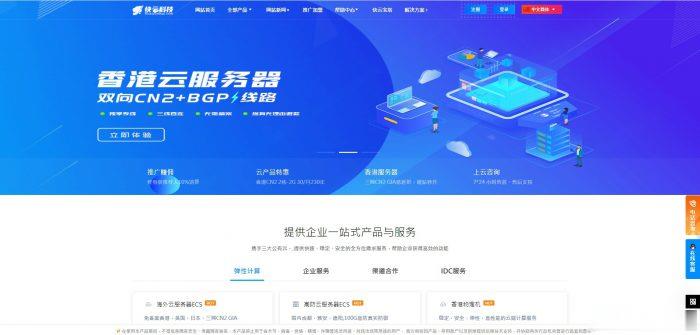
快云科技:夏季大促销,香港VPS7.5折特惠,CN2 GIA线路; 年付仅不到五折巨惠,续费永久同价
快云科技怎么样?快云科技是一家成立于2020年的新起国内主机商,资质齐全 持有IDC ICP ISP等正规商家。我们秉承着服务于客户服务于大众的理念运营,机器线路优价格低。目前已注册用户达到5000+!主营产品有:香港弹性云服务器,美国vps和日本vps,香港物理机,国内高防物理机以及美国日本高防物理机!产品特色:全配置均20M带宽,架构采用KVM虚拟化技术,全盘SSD硬盘,RAID10阵列, 国...
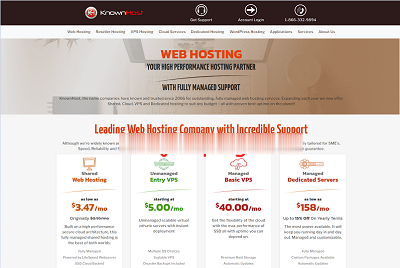
knownhost西雅图/亚特兰大/阿姆斯特丹$5/月,2个IP1G内存/1核/20gSSD/1T流量
美国知名管理型主机公司,2006年运作至今,虚拟主机、VPS、云服务器、独立服务器等业务全部采用“managed”,也就是人工参与度高,很多事情都可以人工帮你处理,不过一直以来价格也贵。也不知道knownhost什么时候开始运作无管理型业务的,估计是为了扩展市场吧,反正是出来较长时间了。闲来无事,那就给大家介绍下“unmanaged VPS”,也就是无管理型VPS,低至5美元/月,基于KVM虚拟,...
imidc:$88/月,e3-1230/16G内存/512gSSD/30M直连带宽/13个IPv4日本多IP
imidc对日本独立服务器在搞特别促销,原价159美元的机器现在只需要88美元,而且给13个独立IPv4,30Mbps直连带宽,不限制流量。注意,本次促销只有一个链接,有2个不同的优惠码,你用不同的优惠码就对应着不同的配置,价格也不一样。88美元的机器,下单后默认不管就给512G SSD,要指定用HDD那就发工单,如果需要多加一个/28(13个)IPv4,每个月32美元...官方网站:https:...
letmein为你推荐
-
海外虚拟主机空间国外虚拟主机空间为什么能这么大呢?域名空间什么是空间 什么是域名英文域名中文域名和英文域名有什么区别,越具体越好免费网站域名申请哪里可以申请到免费网站域名?香港虚拟主机香港虚拟主机多少钱一年呢?独立ip虚拟主机独立ip的虚拟主机和vps的区别和优势??虚拟主机控制面板虚拟主机控制面板是什么?东莞虚拟主机在东莞服务器租用怎么选择虚拟主机99idc网站后台织梦系统重装、空间转移、及上传技巧有哪些?广西虚拟主机虚拟机如何实现桥接方式-联网