命令linux用户管理命令(添加,删除,修改)(Linux user management commands (add, delete, modify))
linux用户管理命令(添加,删除,修改) Linux user managementcommands (add, del et e, modi fy)
Linux forced landing users kicked off
View users landing in machines
[root@sunsyk w~]#
16:29:02 up 2 days, 2:35, 5 users, load average: 0.03, 0.05,
0.01
USER, TTY, FROM, LOGIN@, IDLE, JCPU, PCPU, WHAT
Root pts/1 : 0, Tue15, 2days, 1:44, 0.04s, -bash
Root pts/2: 0, Tue15, 46:42m, 0.05s, 0.05s, Bash
Root pts/3: 0, Tue15, 2days, 0.02s, 0.02s, Bash
Root, pts/4, 172.20.52. 114, 14: 17, 58:48, 0. 16s, 0.03s,sqlplus
Root, pts/5, 172.20.52. 114, 15:31, 0.00s, 0.03s, 0.00s, wI put the pts/1 out (only root to kick off the user)[root@sunsyk pkill -kill -t pts/1 ~]#
[root@sunsyk pkill -kill -t pts/2 ~]#
[root@sunsyk pkill -kill -t pts/3 ~]#
See is not kicked off
[root@sunsyk w~]#
16:34:16 up 2 days, 2:40, 2 users, load average: 0, 0.05, 0.02USER, TTY, FROM, LOGIN@, IDLE, JCPU, PCPU, WHAT
Root, pts/4, 172.20.52. 114, 14: 17, 1 :04m, 0. 16s, 0.03s,sqlplus
Root, pts/5, 172.20.52. 114, 15:31, 0.00s, 0.03s, 0.00s, wLog in as the login command:
During the user login system, you can also change the identitywith the "login" command and even log on to other hosts inaddition to the "Su-" command. If you use the "login" commandto change the identity, as long as the input will change theusername directly in the command: [root@ns1 root]# loginCaroline - > change user name is Caroline, if you want to logon the other host, need to use the "-h"parameter to the "login"command: [root@ns1 root]# login-h linux2 - >Linux2 login forthe host.
Log in as the rlogin command:
Inaddition to using the login command, rlogin can alsobe usedto log on to remote hosts, and its usage is simple. Here is an
example of a connection to linux2. jschouse.com:
[root@ns1 root]# rlogin linux2. jschouse.com - >linux2. jschouse. com login
Password: is in the same name - > * login default, so there isno "login" informat ion
Login incorrect- > if the name used to login with the username,can directly press the "Enter", and ignore the errori nformat ion
Login: Jack - > to enter a different username
Password: * - > password
The use of /etc/nologin files:
If you want to only root can log on the host, other account cannot log in, you can add a file named "nologin" in the /etcdirectory in the file, as long as the random input characterscan be found in the file system as long as there will preventother users login.
System logout:
The front is introduced to change the identity in the "login"command, and can log on the other host, and login relative tothe command "logout", it can make the currently logged on userlog off the system, so that other users login. The use of thiscommand is simple. You can log on to the system as long as you
enter "logout": [root@ns1 root]# logout
As described earlier, the Linux system is a multi-useroperating system, and each user' s access to the system needsto be set by the system administrator. This section describessome of the commands that the system administrator manages forusers and user groups.
4.6. 1 creates new users
The useradd command (also using addUser) is used to create anew user account with the following commands:
Table 4 - 19 useradd command common options
Common phenomenon
Significance
-d
Sets the landing directory for new users
-e
Set the new user' s stop date, the date format is MM/DD/YY-f
A few days after the account has expired permanent suspension.The value is 0 when the account is immediately stopped. When
duty is -1, this function is turned off. The default value is-1
-g
Enable new users to join groups
-G
Add new users to a new group. Each group is separated by commas,which must not be enclosed in blank words
-s
Specifies the login Shell for the new user
-u
Sets the ID value for new users
When a new user is created successfully, a line of informationabout that user is added to the /etc/passwd file, formatted asfollows:
[user name: [password] : [UID] : [GID] : [identity description] :[home directory] [landing Shell]
One of the fields is divided into 7 parts by the colon ":".Because less than 500 of the UID and GID are generally the systemitself retained, do not do ordinary users and groups of signs,
so the new increase in users and groups are generally UID andGID greater than 500.
For example, use the following command:
Root@localhost root useradd user1 #
A user named userl will be created, and the user managementcommand has been introduced, and no more is introduced here.The result of executing the useradd command is shown in figure11-13.
4.6.2 sets and modifies user password passwd
The passwd command is used to set and modify user commands. Onlysuper users and users can change their passwords themselves,and other ordinary users do not have the right to modify otheruser passwords. Its order is as follows:
# passwd username.
To avoid entering passwords, it is noticed howmany bits, Linuxdoes not use a password like Windows echo [shown as *] , so theinput of these characters is invisible. For example, to setpasswords for new userl users, use the following command:Root@localhost root passwd user1 #
According to the system prompted information, enter thepassword two times, the system will display:
Passwd: : all, authentication, tokens, updated, successfullyIndicates that the change password succeeded. The new user' sjob is completed only after the user has set the password,otherwise the user name cannot be used to log on.
4.6. 3 modify user information usermod
The usermod command is used to modify user information, and itscommand format is as follows:
# usermod option: user name.
The common command option, 11-20, is shown.
Table 4-20 common options for usermod commands
Common options
Significance
-d
Update the user' s new login directory
-e
Set the new user' s stop date, the date format is MM/DD/YY-f
A few days after the account has expired permanent suspension.The value is 0 when the account is immediately stopped. Whenduty is -1, this function is turned off. The default value is-1
-g
Update user new user to join group
-G
Define the user as a group of groups members. Each group uses"?"" Separate from blank words
-l
To change the name of the user login, the user at the same timethe directory name will follow the change into a new name-s
Specify a new user Shell
-u
The user ID value must be the unique ID value. The user directorytree document directory the userID will automatically changeon the support directory document is to manually changeFor example, the following command modif ies user information:
Root@localhost root usermod- d/home/user2 s/bin/bash user2 -#
Set the home directory path for user name user2 at/home/user1,and the Shell setting for login to /usr/bin/gcc.
In general, the usermod command modifies user accountinformation with reference to the commands section. However,usermod does not allow changing the user account name on theline, so when using usermod to change user account information,You must verify that this name has not been executed on thec omputer.
4.6.4 new group groupadd
The groupadd command is used to create a new group of users,and the commands are as follows:
# groupadd options: user name.
Common options are:
-g:GID value. Unless the -o parameter is used, the value mustbe unique, not the same, and the value must not be negative.The GID value is preset to be minimum, not less than 500 andincreased sequentially. 0 - 499 is traditionally reserved forsystem account usage.
- 命令linux用户管理命令(添加,删除,修改)(Linux user management commands (add, delete, modify))相关文档
- 文件linux文件的复制、删除和移动命令
- 显示Linux基础教程linuxRPM包安装、更新、删除等操作命令简明总结
- linux删除命令linux 删除命令 除两个文件夹外 其他全部删除
- linux删除命令linux怎么删除
- linux删除命令linux 注销命令是什么?
- linux删除命令linux上怎么快速删除一个目录
Budgetvm12核心 16G 500 GB SSD 或者 2 TB SATA 10GB 20 TB 99美金
Budgetvm(原EZ机房),2005年成立的美国老品牌机房,主打美国4个机房(洛杉矶、芝加哥、达拉斯、迈阿密)和日本东京机房的独立服务器和VPS业务,而且不限制流量,默认提供免费的1800G DDoS防御服务,支持IPv6和IPMI,多种免费中文操作系统可供选择,独立服务器主打大硬盘,多硬盘,大内存,用户可以在后台自行安装系统等管理操作!内存可定制升级到1536G,多块硬盘随时加,14TBSA...
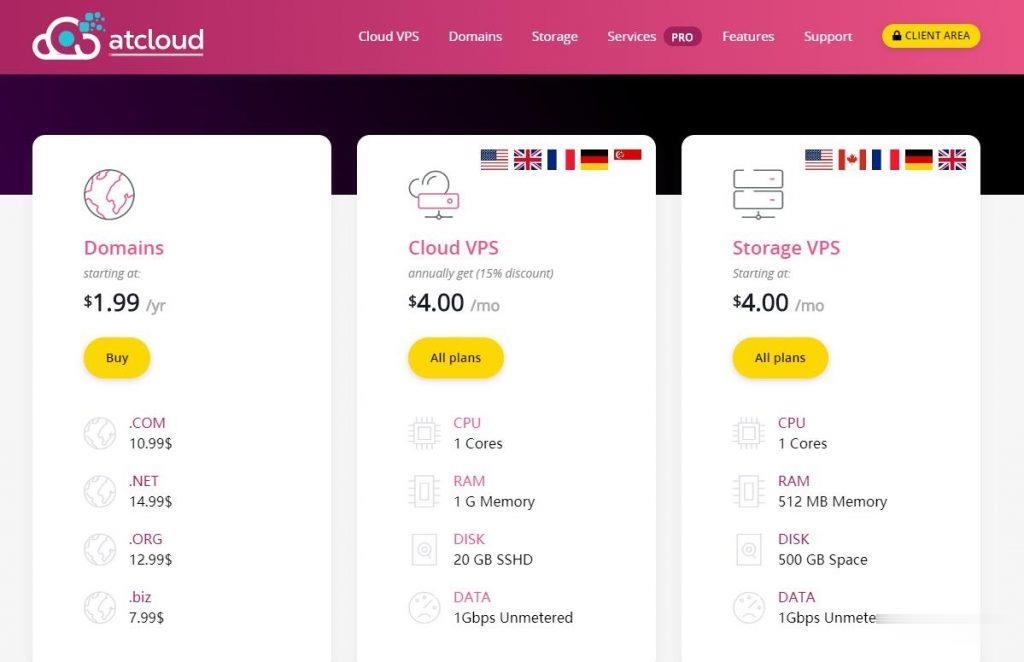
ATCLOUD-KVM架构的VPS产品$4.5,杜绝DDoS攻击
ATCLOUD.NET怎么样?ATCLOUD.NET主要提供KVM架构的VPS产品、LXC容器化产品、权威DNS智能解析、域名注册、SSL证书等海外网站建设服务。 其大部分数据中心是由OVH机房提供,其节点包括美国(俄勒冈、弗吉尼亚)、加拿大、英国、法国、德国以及新加坡。 提供超过480Gbps的DDoS高防保护,杜绝DDoS攻击骚扰,比较适合海外建站等业务。官方网站:点击访问ATCLOUD官网活...
BuyVM迈阿密KVM上线,AMD Ryzen 3900X+NVMe硬盘$2/月起
BuyVM在昨天宣布上线了第四个数据中心产品:迈阿密,基于KVM架构的VPS主机,采用AMD Ryzen 3900X CPU,DDR4内存,NVMe硬盘,1Gbps带宽,不限制流量方式,最低$2/月起,支持Linux或者Windows操作系统。这是一家成立于2010年的国外主机商,提供基于KVM架构的VPS产品,数据中心除了新上的迈阿密外还包括美国拉斯维加斯、新泽西和卢森堡等,主机均为1Gbps带...
-
阿里云系统阿里云系统用起来怎么样邮箱群发邮箱最多能群发多少人cornerradiuscorner radius是什么意思绵阳电信绵阳电信营业厅哪家最大手机最全网站联盟网盟跟b2b平台有什么区别显卡温度多少正常显卡温度多少算正常?办公协同软件免费的多人协同办公软件哪些,我了解的有钉钉、企业微信,其他的还有么?保护气球什么气球可以骑?xp系统停止服务xp系统停止服务怎么办网页打开很慢为什么我打开网页很慢